Smart scheduling in the right flow.
Define the team and business requirements. Let AI draft the schedule. Review the trade-offs before anything is published.
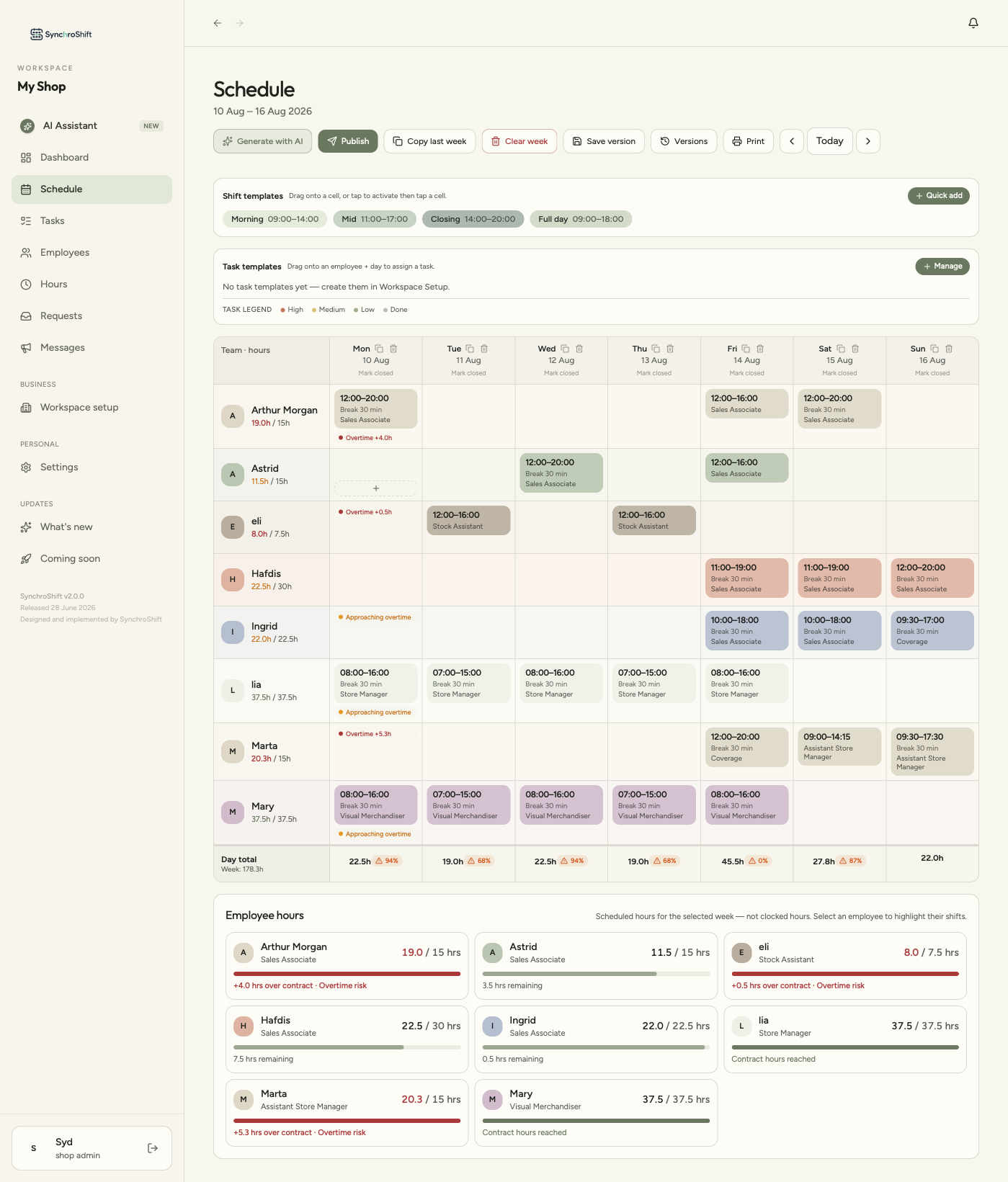
A controlled loop, not a one-click generator.
The workflow keeps setup, constraints, generation, review and publishing distinct — while allowing the manager to return to the rules whenever conditions change.
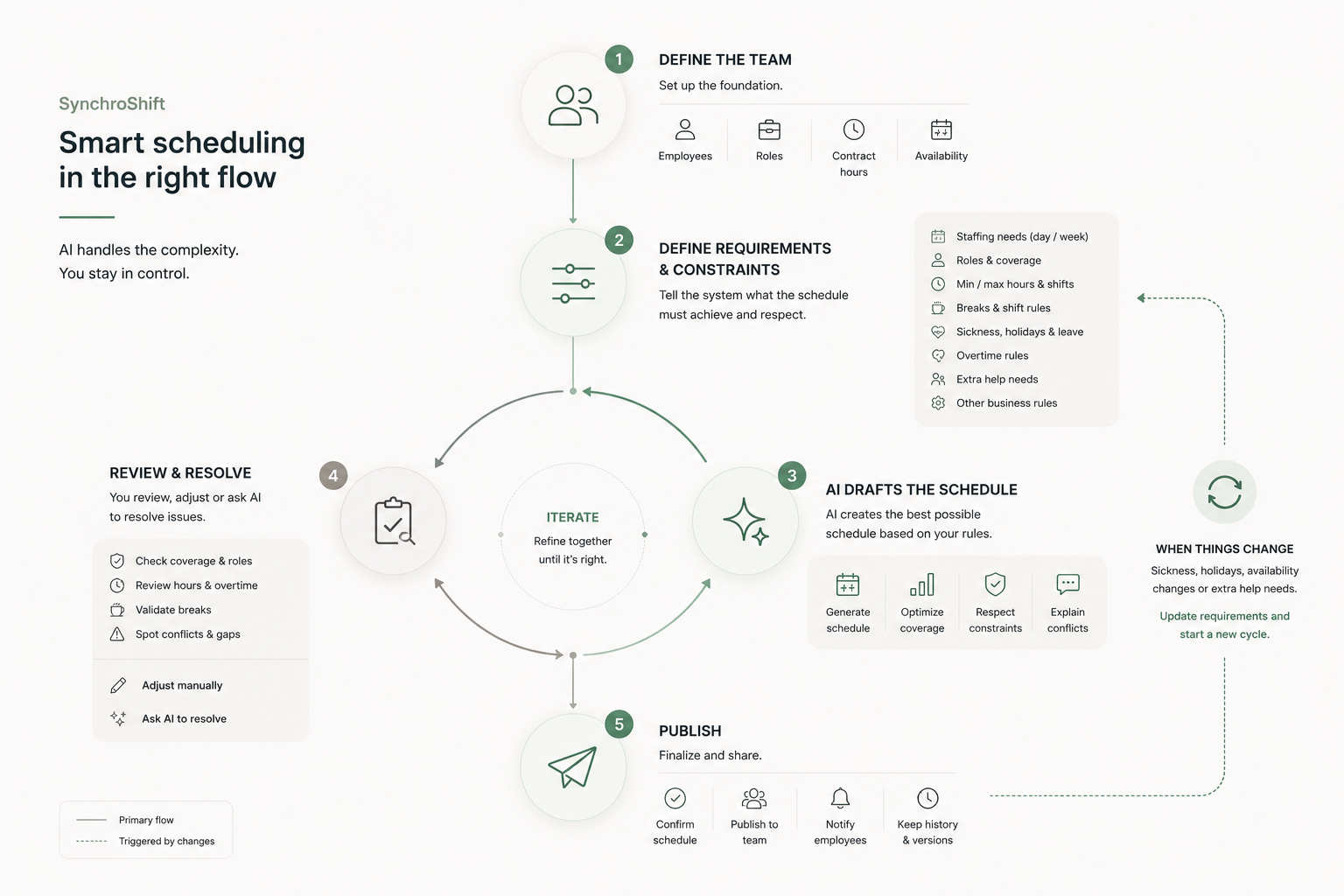
See the workflow in the product.
The walkthrough shows the real SynchroShift scheduling experience represented in this case study.
Scheduling isn't a calendar problem. It's a constraint problem.
A weekly schedule has to reconcile staffing needs with the people who can actually work: their roles, contract hours, availability, shift limits and overtime permissions.
Coverage must be explicit
Staffing requirements define how much coverage is needed for the selected week rather than treating an empty calendar as the starting point.
Employees are not interchangeable
Roles and eligibility matter. A required role cannot simply be filled by another title when substitution is not allowed.
Completeness is not enough
A full-looking schedule can still be wrong when it breaks contract hours, minimum shift length or overtime rules.
The schedule is the output. The requirements are the system behind it.
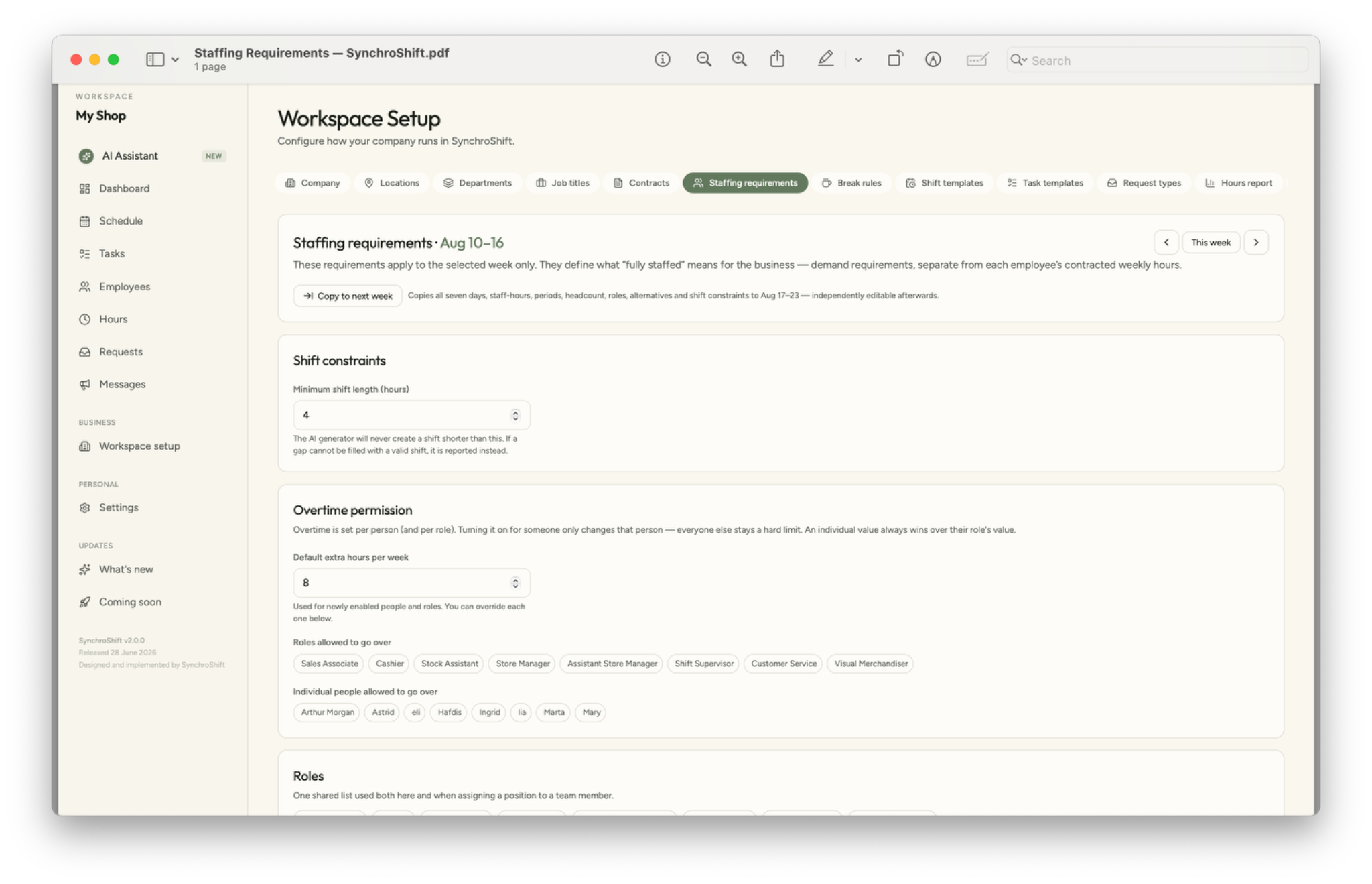
SynchroShift separates business demand from employee contracts, then gives the AI clear boundaries for what it may and may not do.
Demand by week
Requirements are defined for the selected week and can be copied forward, then edited independently.
Minimum length
The supplied setup uses a 4-hour minimum shift. If a gap cannot be filled with a valid shift, it is reported instead.
Permission, not assumption
Extra hours are configured with a default limit and can be allowed by role or by individual employee.
Eligible coverage
The same role model is used in requirements and when assigning positions to team members.
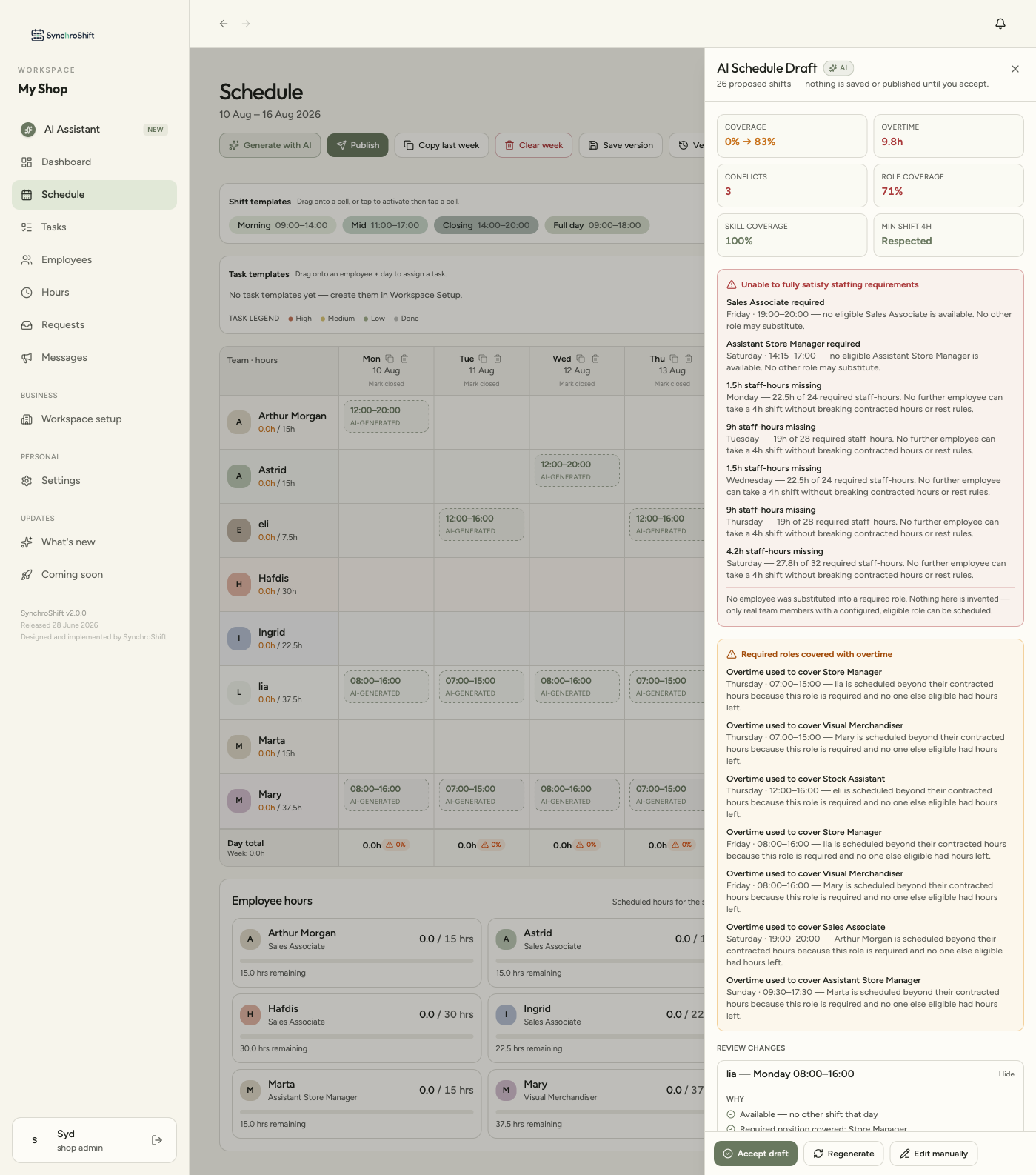
AI proposes. It doesn't decide.
Generation happens inside the defined scheduling model. The draft is inspectable before it can become the schedule.
Constraint-aware
The draft is evaluated against coverage, overtime, role coverage, skill coverage and minimum shift rules.
Explicit about failure
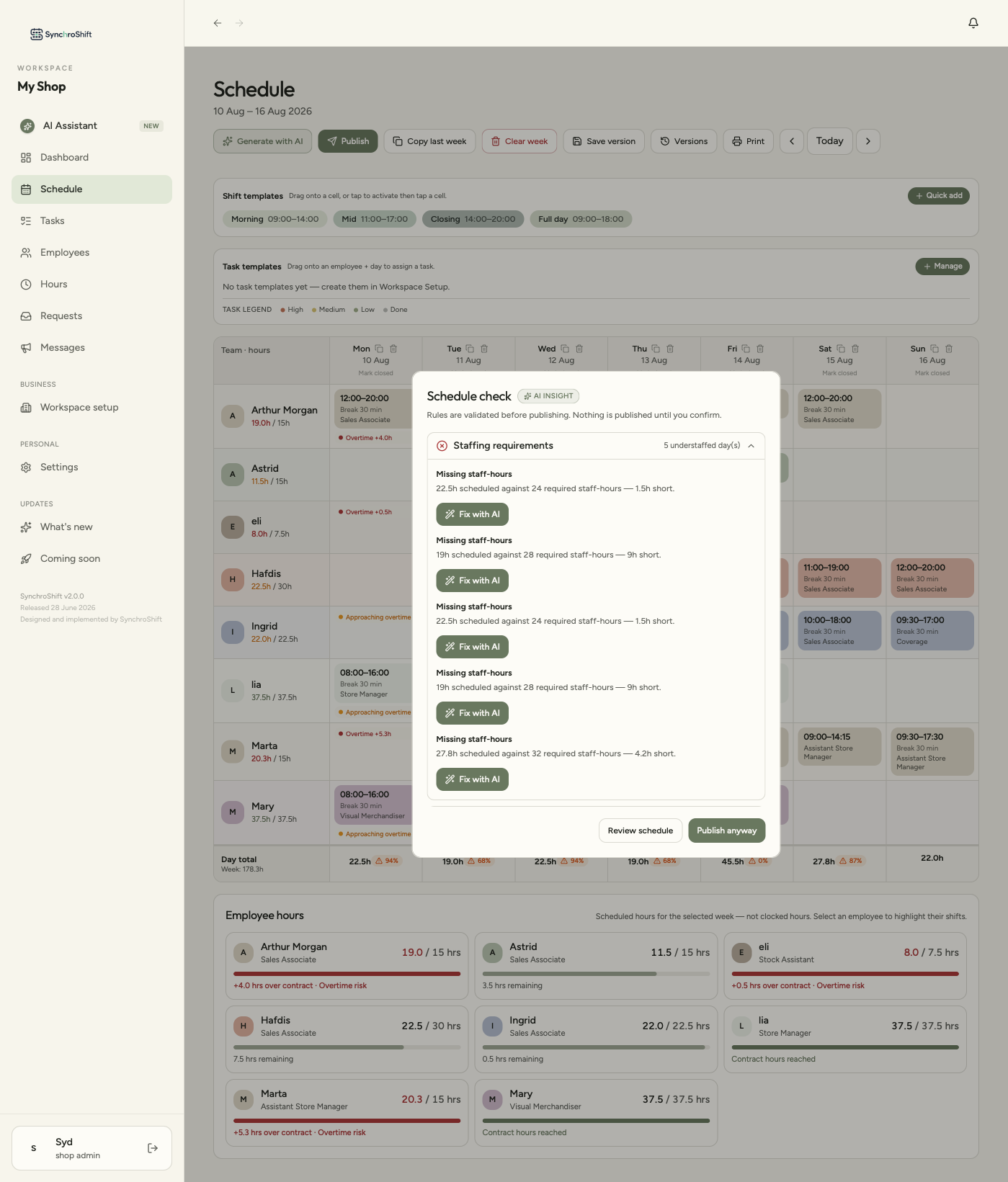
When the requirements cannot be satisfied, the system reports the missing staff-hours or unavailable required roles instead of inventing a solution.
Explainable
The manager can see why overtime was used and why particular requirements remain unresolved.
When there is more than one right answer, AI has to show what “better” means.
Hard constraints decide whether a candidate is valid. Soft constraints rank the valid options — and that ranking should stay visible and overridable.
Fewer split shifts
Prefer a valid assignment that avoids fragmenting the employee’s day.
Balanced weekly hours
When several people can cover the same shift, prefer the option that keeps contracted hours more even.
Shift continuity
Prefer continuity — the same person on adjacent days — over introducing a fresh assignment when the other rules are equal.
Where AI judgment actually lives
The hard-constraint layer only decides valid or invalid. Ranking among valid choices is where the system expresses a preference about what “good” looks like.
Ranked valid candidates
Candidate A
No split shift · best weekly-hour balance · adjacent-day continuity
Candidate B
No split shift · valid hours · less continuity than Candidate A
Candidate C
Valid assignment · creates a split shift, so it ranks lower
Review is part of the workflow, not an exception to it.
The system checks the schedule before publish and gives the manager a choice: review the issue, ask AI to fix it, or deliberately publish anyway.
Generate
AI creates a proposed schedule from the current requirements.
Inspect
Coverage, roles, hours and conflicts are surfaced before acceptance.
Resolve
Use AI recommendations or edit the schedule manually.
Confirm
The manager accepts the trade-off or revises the draft.
Publish
Only the manager turns the reviewed state into the team schedule.
Reality will break the schedule.
The workflow is designed as a cycle because sickness, holidays, availability changes and extra-help needs can invalidate a schedule after it was correct.
A constraint changes
Sickness, holiday, availability or extra-help needs alter the situation.
Requirements are re-evaluated
Coverage, role or hour rules can become invalid.
Start a new cycle
Update requirements, generate or adjust, review the result, then publish the revised schedule.
The key design decision
Change does not bypass the rules. It sends the workflow back through the same requirements → draft → review loop.
One model across setup, generation, review and the weekly schedule.
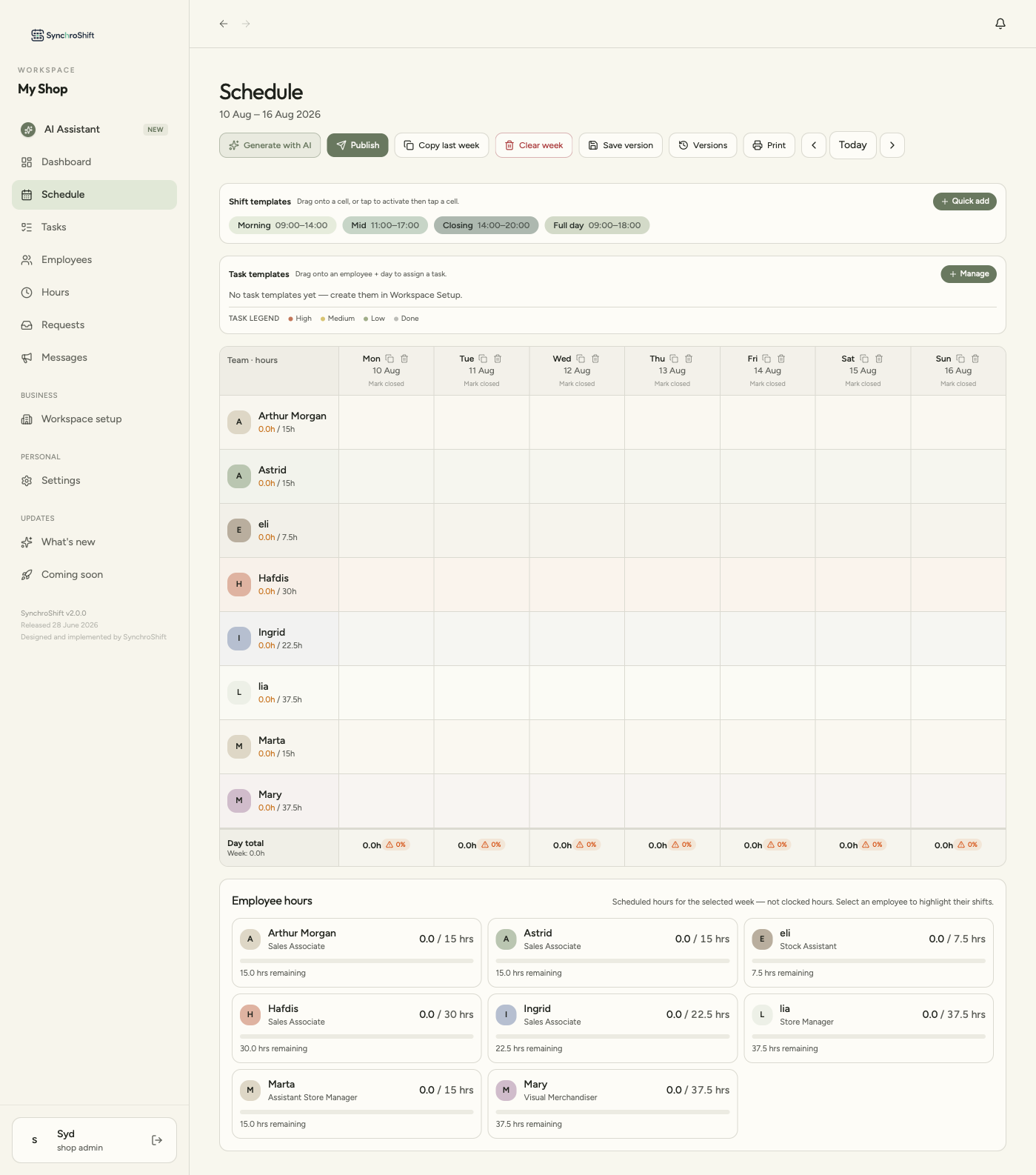
The supplied screens show the same scheduling logic carrying through four product states rather than appearing as a separate AI feature.
Define the boundaries
Staffing requirements, shift length, overtime and roles establish the scheduling model.
Create a draft
AI proposes shifts and exposes where the rules cannot all be satisfied.
Resolve before publish
Schedule checks surface missing staff-hours and offer AI or manual correction.
Work from the schedule
The weekly grid keeps hours, overtime indicators, roles and coverage visible.
What this workflow is designed to protect.
Complex scheduling can be made understandable without pretending the constraints do not exist.
AI is more useful when its authority is bounded by explicit business rules.
An incomplete but truthful draft is more useful than a complete-looking schedule that silently breaks the rules.
Human review is part of the product architecture: the manager remains responsible for the final published schedule.
The workflow has to survive change, not only produce a good first draft.
What “working” will mean once this leaves beta
The system is evaluated on correctness today — every draft respects hard constraints or explains why it can't. The open question is whether it actually reduces a manager's workload rather than shifting it from schedule-building to schedule-checking. Once out of beta, the signal to watch is simple: do managers publish drafts closer to as-generated, or do they end up rebuilding most of it manually? If it's the latter, the constraint model is correct but not yet trusted — which is a different problem to solve.
The product screens and walkthrough are supplied SynchroShift artifacts. The ranked-candidates card is explicitly labeled as a conceptual decision-logic visual, not product UI.